CSSkill Discord Bot
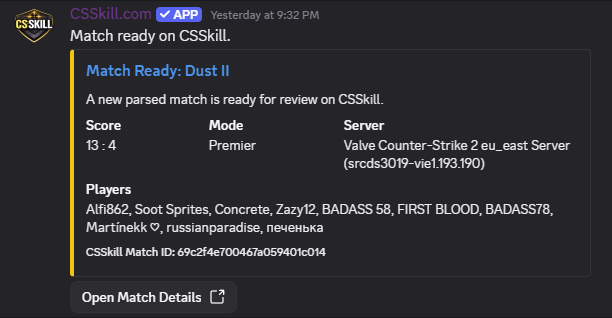
Let your community get instant match-ready alerts in Discord. The bot posts parsed match summaries and tags linked CSSkill users who participated in that demo.
- Automatically posts one summary per parsed match.
- Mentions linked players from your Discord server.
- Includes direct link to the CSSkill match detail page.
- Guild admins can configure target channels from dashboard.
Integration Steps
- Install the bot in your Discord server.
- Log into CSSkill and connect your Discord identity in Profile → Integrations.
- Open Discord Setup dashboard and connect Discord admin session.
- Choose server + target channel and save configuration.
- Run a test message to verify permissions and channel visibility.
Security & Privacy
- Only linked Discord users are mention candidates.
- Users can disable Discord match mentions in profile integrations.
- Guild setup requires Manage Server / Administrator permissions.
- No Discord email access is required for linking.
Troubleshooting
- If setup fails, reconnect Discord from the setup dashboard and retry.
- If no one is mentioned, confirm players linked Discord and are in the configured guild.
- If bot cannot post, verify channel permissions for View Channel, Send Messages, and Embed Links.