In the CS:GO era, players had a massive list of launch options (like -tickrate 128 or -threads). Valve cleaned this up in CS2. Most of those old commands are now completely ignored by the engine and only serve to break your game.
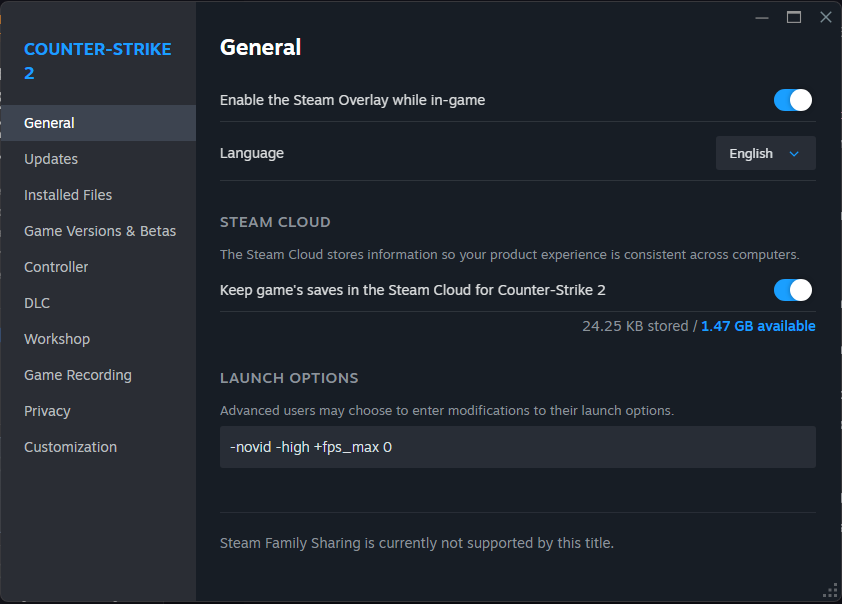
Here are the only Launch Options you actually need to paste into Steam:
The Essential Commands:
-novid: Skips the loud Valve intro video, getting you into the main menu instantly.-high: Forces Windows to prioritize the CS2 process over background applications like Discord or Chrome.+fps_max 0: Uncaps your frame rate. However, if your PC heavily fluctuates between 400 FPS and 150 FPS during gunfights, the frame-time variance will feel stuttery. If you experience this, cap it slightly above your monitor's refresh rate (e.g.,+fps_max 300).
The Autoexec File: An autoexec.cfg is a text file that forces the game to load your specific settings every time it boots. While CS2 saves most settings in the cloud, you should still use an autoexec for custom keybinds. For example, ensuring your radar zoom or volume toggles are bound exactly how you want them every time you launch the game